Build, ship and run your app,and take payments, all in one place

Build a web app with your AI coding tool, then publish it on RIDM Apps at your own address. Every app gets its own database, and build logs and environment variables live in the console. Pick the features your app needs from the Saju AI API, RIDM Memory (AI that remembers) and image generation.

curl -X POST https://api.hrum.ai/api/v1/partners/v1/manseryeok \
  -H "X-Partner-Api-Key: $HRUM_API_KEY" \
  -H "Content-Type: application/json" \
  -d '{"year":1990,"month":5,"day":15,"hour":12,"minute":0,
       "timezone":"Asia/Seoul","gender":"male"}'

Response for May 15, 1990, 12:00 · excerpt from a real Manseryeok (Korean Four Pillars calendar) response

Hour
壬午Im-o
Day
庚辰Gyeong-jin
Month
辛巳Sin-sa
Year
庚午Gyeong-o
  • Wood0
  • Fire3
  • Earth1
  • Metal3
  • Water1

Yongsin (favorable element) Water · Gyeokguk (chart structure) Bigyeon-gyeok (independence, self-reliance, cooperation among peers)
庚金 — the energy of steel. Strong on decisiveness and loyalty.

See every Manseryeok field

No need to read it all. Pick what you want to build and give the link to your AI coding tool.

  • Free ebooks (Korean)

    App-building ebooks for AI (Korean)

    Choose a fortune app, a character chat app or a members-only web app. Your AI reads the book step by step and builds it for you.

    hrum.ai/ebook/
  • Opens the block editor

    Block-based app builder

    Pick Saju API blocks to build an app, then publish it on RIDM Apps with the deploy bundle. You can hand this to your AI too. About Baro · Open the editor (Korean)

    hrum.ai/llms.txt
  • From sign-up to your first call

    Get Started guide

    Sign-up, API keys, your first call and error handling, all on one page.

    hrum.ai/en/getting-started.html
Gave hrum.ai to your AI assistant? Here's the path it follows

AI coding tools work through the steps below. Detailed instructions for each step are on the map page of the chosen book; this box is a summary.

  1. Ask the user what kind of app it is first, then pick a book. For Saju and fortune apps (Manseryeok, Compatibility, Zi Wei Dou Shu, astrology, Tarot, Dream Interpretation) use the all-in-one fortune book (Korean); for a single topic use a standalone edition (Saju only · Zi Wei Dou Shu only · astrology only · Tarot only · Dream Interpretation only, all in Korean). A character chat that remembers uses the AI app book (Korean), a members-only web app without AI uses the plain app book (Korean), and a mini app inside the Toss app uses the Toss mini app book (Korean). If unsure, go with the all-in-one fortune book (choose a book, Korean). Open the chosen book's map and read only the page for the current step, in step order.
  2. The user issues the HRUM API key. Sign up in the console, verify your email, then issue a key on the API keys screen. Without an account, the AI can sign up for you and the user only passes on the code received by email (how the AI signs up for you). A key is shown only once, right after it is issued. Don't ask for the key value in chat; only ask whether it was saved somewhere safe. The plain app book needs no key.
  3. Call the API from your server. Send every request to a path under https://api.hrum.ai/api/v1/partners/v1/ with the key in the X-Partner-Api-Key header. Main paths: POST /api/v1/partners/v1/manseryeok (Manseryeok), /api/v1/partners/v1/reading (AI Saju Reading), /api/v1/partners/v1/compat (Compatibility), /api/v1/partners/v1/ziwei-chart (Zi Wei Dou Shu), /api/v1/partners/v1/natal-chart (natal chart), /api/v1/partners/v1/tarot (Tarot), /api/v1/partners/v1/today (today's fortune), /api/v1/partners/v1/dream (Dream Interpretation) and /api/v1/partners/v1/chat/completions (chat with AI that remembers). The first-call steps are in the Get Started guide and the full list is in the API guide.
  4. Publish with RIDM Apps. Connect a GitHub repository and push; it is built and published at your own address (deploy flow). Put the key in the app's HRUM_API_KEY environment variable, not in the repository (environment variables). If "AI connection" is turned on in the app details, the platform injects the key for you, so don't add it yourself. Handle secrets according to the secret key safety rules.
  5. For a mini app inside the Toss app, when building with code, follow the Toss mini app book (Korean). Keep a server that holds the key on RIDM Apps, and have the mini app call only that server. When building without code, download the "Apps in Toss mini app bundle" from the deploy screen of the Baro editor (open the editor) and upload it to the Apps in Toss console. The user handles Apps in Toss sign-up, review and launch directly.
  6. Common mistakes
    • Putting the API key in the browser, app code, mini app, repository, chat or logs. Keep the key only in server environment variables.
    • Using a different header name. Anything other than X-Partner-Api-Key fails authentication.
    • Calling with Python urllib's default User-Agent. It is blocked by security rules; set the User-Agent header yourself.
    • Filling in an unknown birth time with an arbitrary value. Leave hour and minute empty and the hour pillar is left out of the calculation.
    • Detecting insufficient balance from the code value alone. Use the response status code (error codes).
    • Writing code before the user approves the build decision sheet, or retyping book code by hand. get-book-code produces the book code exactly as written.
    • Saying it's deployed right after pushing. Say so only after the commit in the live server's /api/health matches your last commit.

To read it all at once as text, see llms.txt (summary) and llms-full.txt (includes each book's step map).

Use one, or use them together

Add the features your app needs through APIs. Call the Saju AI API, RIDM Memory (AI that remembers) and image generation with a single key. Shipping and selling the app are managed in the same console.

Saju API

Send a birth date and time (plus gender and time zone) and get Saju (Four Pillars of Destiny) calculations and readings back right away. It runs on the same Saju engine as the fortune app INTA – Life is Timing, calculating the natal chart from solar terms, Yongsin (favorable element), Gyeokguk (chart structure), Day Master strength, 10-year luck cycles (Daeun), annual luck (Seun) and Sinsal (symbolic stars) by classical Saju theory rules.

  • Calculation APIs Manseryeok · Zi Wei Dou Shu · Compatibility · Astrology Total · Dream Interpretation · Today's Saju
  • Interpretation APIs Lifetime Saju · AI Saju Reading
  • Calculation APIs and Lifetime Saju return the same result for the same input. Fetch once, store it and reuse it.


LLM API · RIDM Memory

Call models like GPT, Gemini and Claude with a single key. Change the model name prefix to ridm/ and the same model gains conversation memory. The server stores and recalls each user's conversation context, so you don't need a separate vector DB for that. Compatible with the OpenAI SDK.

openai/gpt-5.6-terra ridm/gpt-5.6-terra

App hosting · RIDM Apps

Connect a GitHub repository and it is built, deployed and published. Every app gets its own PostgreSQL database, and you start on the free plan. Free-plan apps can sell through HRUM Payments too.

https://<name>.ridm.ai

Sales and payouts

Sell to users inside the app you built, and once you register as a seller, receive sales proceeds in the bank account you registered. Free-plan apps can sell too. Pull sales and payout records with the settlement data API, and get payment, refund and payout events as webhooks sent to your server.

App-building ebooks for AI · Free

Saju app · members-only web app (hosting + DB) · AI character service that remembers. Hands-on guides that take you all the way to deployment with one starter sentence to your AI coding tool, even if you don't code. The books are in Korean.

Build, publish, then sell

Today you can build an app, publish it, sell through HRUM Payments and get paid, all in HRUM. The conditions are in the Terms of Service (Korean). About one-stop app development

  1. Get a key and make your first call

    Sign up in the console and issue a key on the API keys screen. New accounts come with ₩1,000 in free credits. If you use an AI coding tool, the HRUM MCP can handle sign-up and key issuance. When the AI signs up for you, just tell it the code you received by email. Sign in to the console with a password or an email code. When creating a key, choose only the permissions you need: payments, orders, refunds, settlement data, webhooks and Baro apps.

    claude mcp add hrum -- npx -y https://console.hrum.ai/mcp/hrum-mcp-0.3.6.tgz
  2. Build the app

    Build the app yourself with HRUM APIs, or use Baro Studio (a canvas editor) from "Baro apps" in the console. Start from a template or a starter app such as Saju, Tarot or astrology, and edit while watching the live preview next to the editor. You can tell the AI assistant what to change in plain words, and editing and saving work on your phone too. Save a draft, preview it, then publish.

    • NowHRUM APIs (Saju, Compatibility, Dream Interpretation, Tarot and more)
    • NowBaro apps: build an app from blocks without code
    • NowHeader code: add site verification meta tags or scripts to a published app
    Open Baro Studio
  3. Ship it

    Connect a repository to RIDM Apps and it is built and deployed automatically, with a domain attached. Every app gets its own PostgreSQL database. If risky code is detected, automatic publishing stops and an operator reviews it.

    Connect GitHub repository → build & deploy → https://<name>.ridm.ai See how to deploy
  4. Sell and get paid

    Sell to users inside the app you built. Apps built with code can take payments through HRUM Payments or a payment gateway (PG) you connect yourself, and once you register as a seller, sales proceeds go to the bank account you registered. Register as an individual, a sole proprietor or a corporation.

    • NowConnect your own payment gateway (PG)
    • NowHRUM Payments: HRUM collects payments on your behalf. The conditions are in the Terms of Service (Korean).
    • NowSeller registration
    • NowAutomatic payouts: sales made through HRUM Payments are paid to your registered bank account
    • NowSettlement data API · seller webhooks: receive sales and payout records on your server

See it in the console

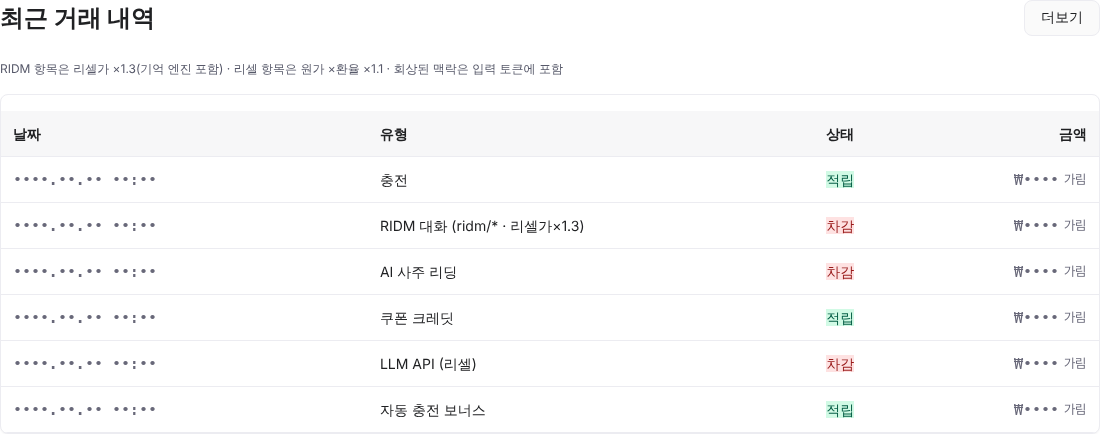
Issue API keys, top up credits and manage usage in the console.

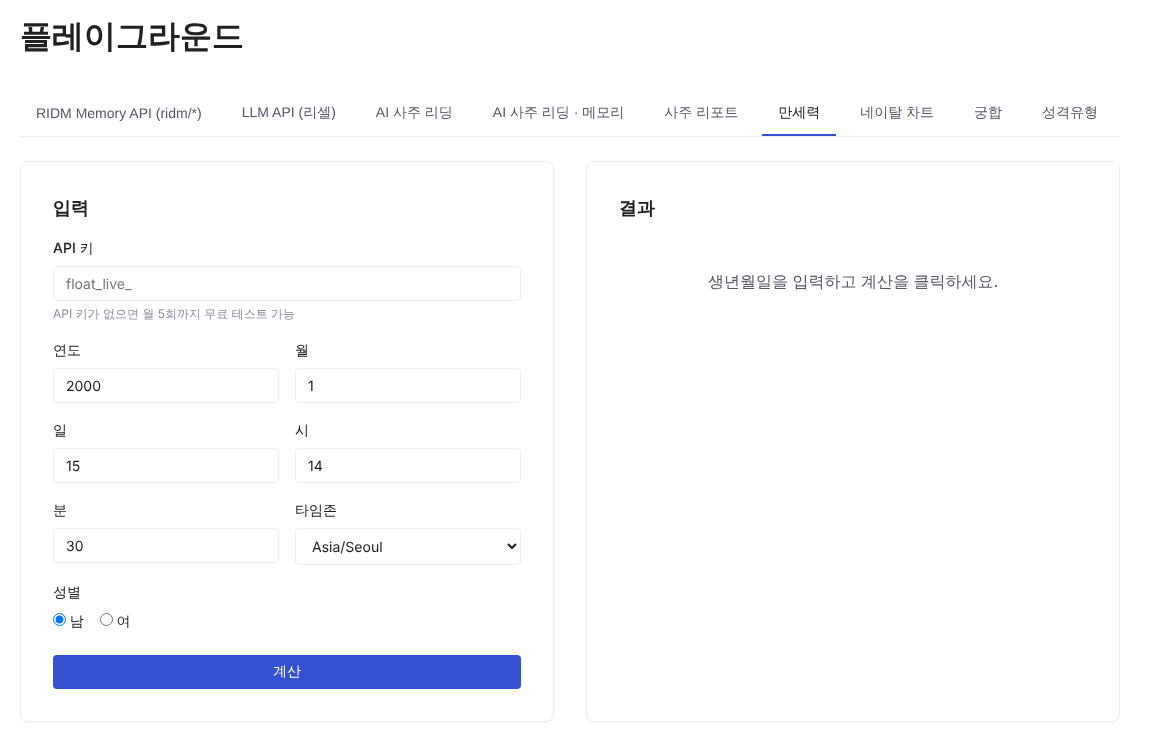
Playground screen: Manseryeok input fields, calculate button and result panel (in Korean)

Without an API key, you can run up to 5 free calculations a month in the Playground.

Tap a screen to view it larger

Built by a company that works with AI models hands-on

Interpretations combine the values and reasoning from a classical Saju theory rules engine. We also do language model fine-tuning and domain-specific customization ourselves. Raising a service's response quality or extending it to new domains means tuning the model itself, and the company behind HRUM does fine-tuning, customization and domain optimization in-house. Use it right away through the RIDM Memory API, or ask us to refine a model for your domain.

RIDM AI platform
An integrated platform made up of an emotional rhythm engine, memory and learning, and character AI. Patent registered in Korea (No. 10-3009272, 2026-08-20); applications filed in 4 countries and regions: Japan, the US, China and the EU.
Awards
  • Sports Chosun 2025 Proud Innovative Korean & Power Brand, Grand Prize in "AI Platform"
  • Herald Corporation 17th Korea SME and Mid-sized Company Innovation Awards, "AI Platform Award"
  • 2025 Innovative Korean & POWER KOREA Grand Prize (Technology Innovation · AI)
Selected tester, national GPU support program
Selected for the beta service of the Ministry of Science and ICT and NIPA "Advanced GPU Utilization Support Program". As one of the 50 tester companies, we completed model fine-tuning on advanced GPU resources.
Open-source models
We fine-tuned base models and published them on Hugging Face.
Launches
On-device AI development completed (2026.02) · RIDM launched (2025.08.30, iOS/Android) · INTA – Life is Timing launched (2026.05.05, iOS/Android)

Products and pricing

Prepaid credits, charged only for what you call · ₩1,000 free on sign-up · top up from ₩10,000 (excl. 10% VAT) · valid for 1 year from issue · monthly subscription plans on the pricing page · contact contact@float.do

HRUM Payments on free-plan apps · up to 5 payments a month. Once used up, it reopens on the 1st of the next month, or switch to a paid plan to keep accepting payments right away. Full conditions are in the Terms of Service (Korean).

See full pricingRIDM Apps hosting pricing

Drop ridm/ and the same request runs as resale (the original, as is). See the difference
ItemLLM API (resale)RIDM Memory API
ResponseOpenAI · Google original, as isSame model + memory engine
User IDOptional · ignoredRequired (the memory key)
Memory and recallNoneMemory, recall and emotion saved automatically
DocumentsExplicit injection via fileIds only · YouTube supportedExplicit injection + automatic recall by tags · YouTube supported
PriceCost × exchange rate × 1.10Resale price × 1.30 (memory included)
Model nameopenai/gpt-5.6-terraridm/gpt-5.6-terra

Build, ship and run your app, and take payments, all in one place

₩1,000 in free credits on sign-up · up to 5 free tests a month in the Playground, no API key needed